A piano for children and beginners

Tap the glowing key. Play a song you know.

PianoSprout turns your iPhone or iPad into a piano anyone can play. Tap the glowing key and the app plays each note for exactly the right length. Toddlers, kids learning to read music and grown-ups who just want to relax each get their own way to play.

  • Free
  • No ads
  • No account
  • Works offline
  • iPhone and iPad
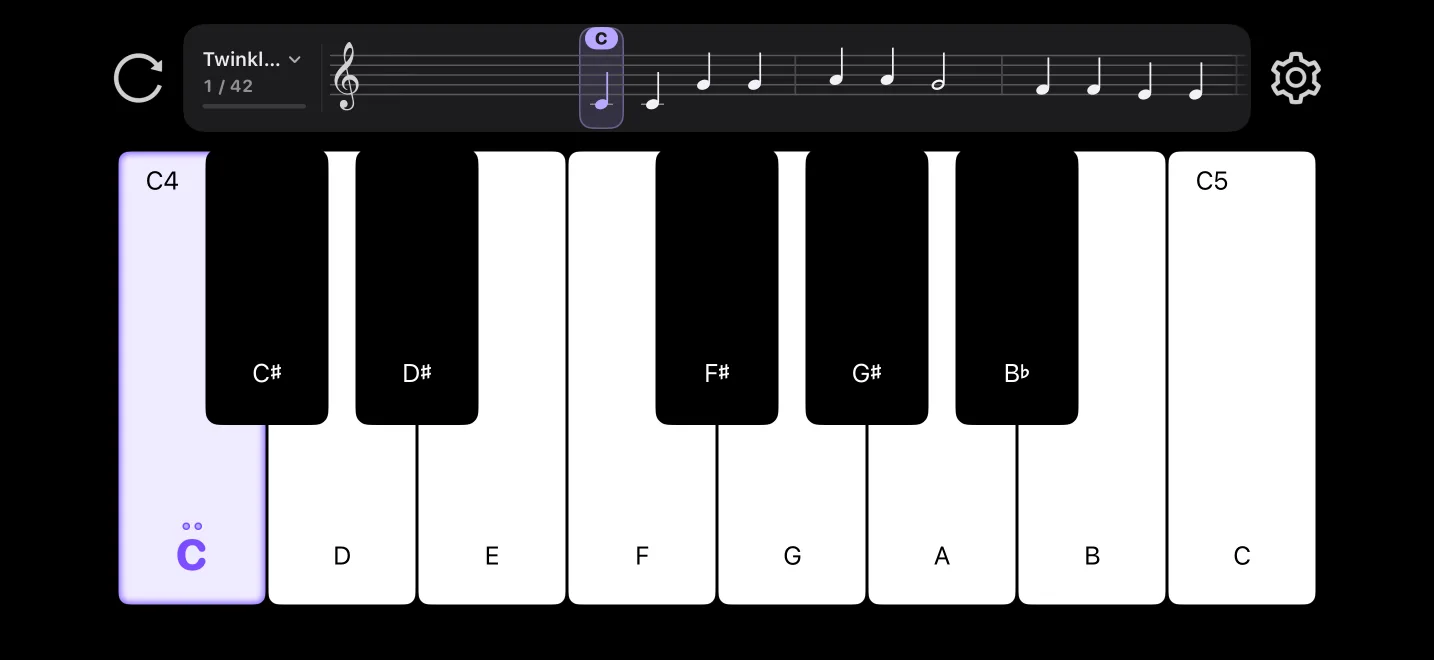
PianoSprout on iPhone: a staff above the keyboard, and the key to play glowing purple

Three steps to your first song

  1. Pick a song

    30 built-in songs, easiest first, starting with Twinkle, Twinkle, Little Star.

  2. Tap the glowing key

    The next key glows purple with its name on it. A repeated note shows how many times to press.

  3. Play it to the end

    With Auto note length on, each note sounds for its written length. A finished song gets a little celebration.

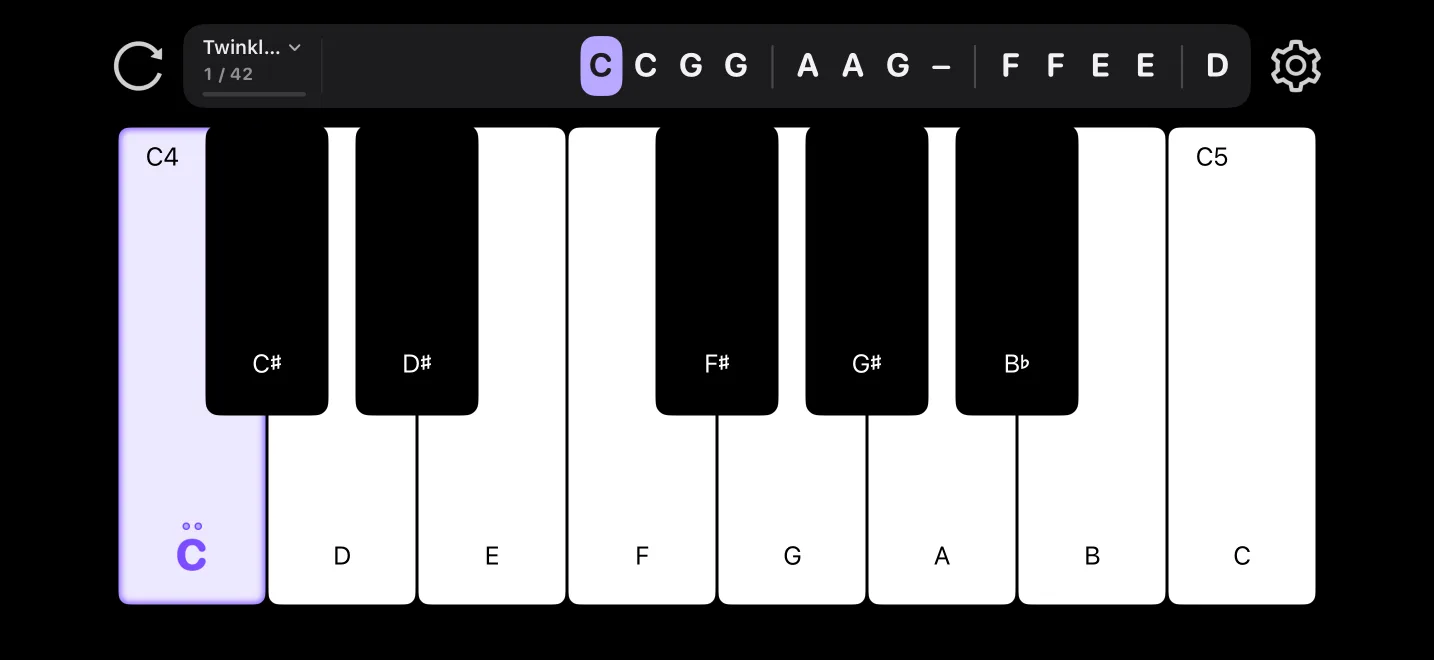
The score line above the keys in letters

Score line

Staff, numbers or letters. Read music your way.

Sheet music runs above the keys and scrolls as you play. The next note is purple, just like the key to press. Not reading the staff yet? Switch to numbers or letters.

  • Staff
  • Numbers 1 2 3
  • Letters C D E
Choose a song: 30 songs, easiest first

30 songs

Easiest first, from Twinkle Star to the Moonlight Sonata

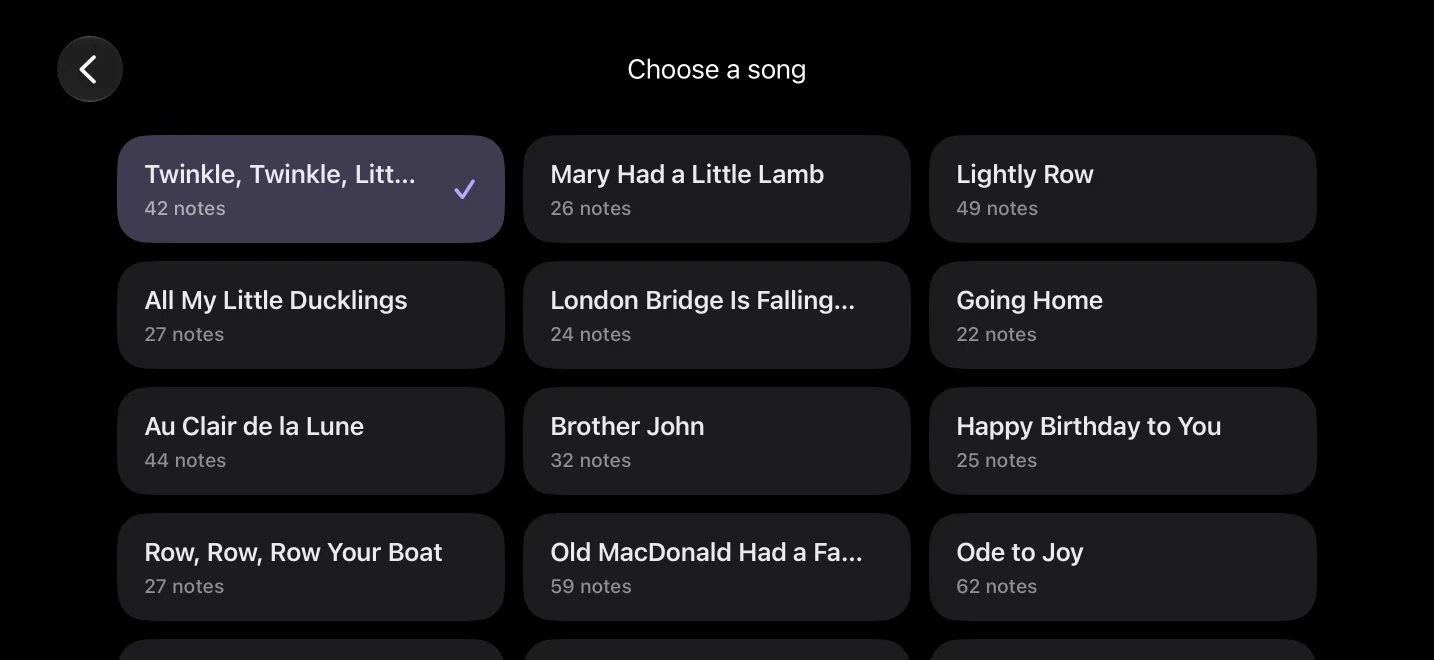
Nursery rhymes, folk songs and classics, each named the way you know it. Tap the song name above the keys to change songs, and go straight on to the next one when you finish.

Twinkle, Twinkle, Little Star · Mary Had a Little Lamb · Jasmine Flower · Ode to Joy · Für Elise · Moonlight Sonata …

Rainbow notes: one color per note on the keys and the score

Rainbow notes

Can't read yet? Find the key by its color.

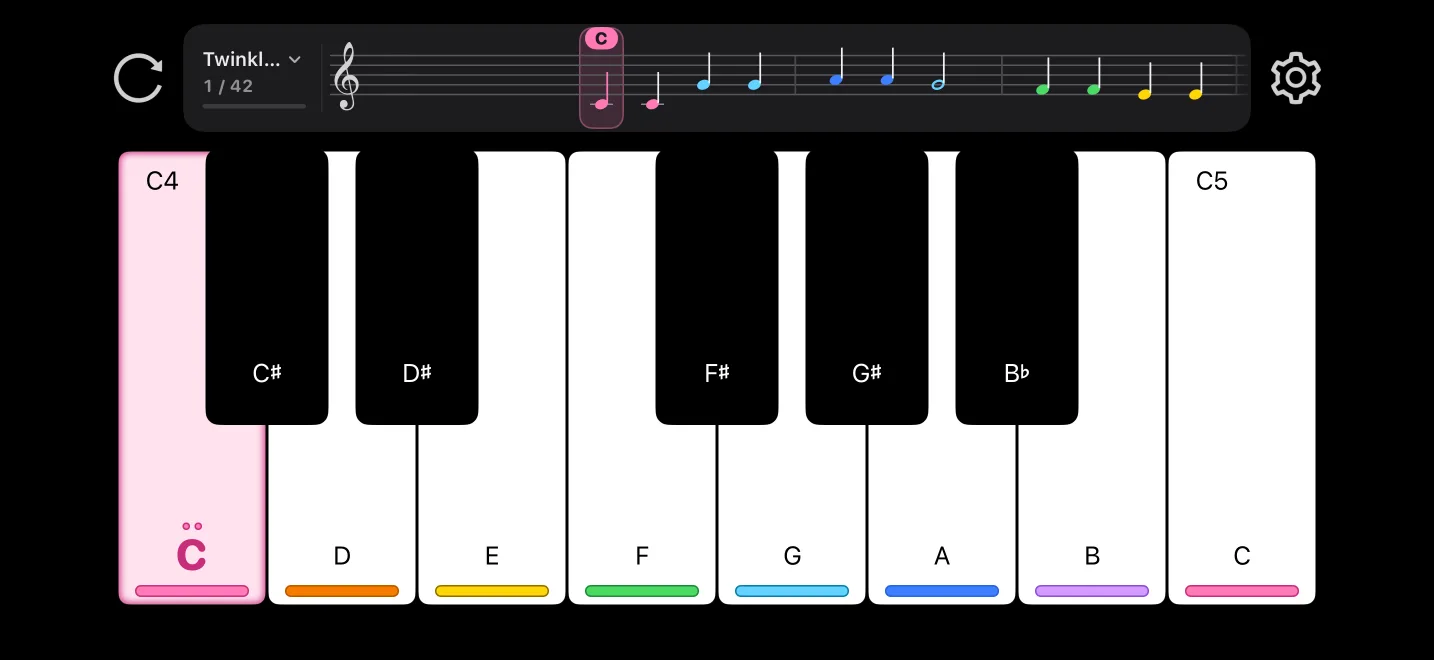
Every note name has its own color, the same on the keys and on the score. Made for little ones who can't read yet. Turn it on in Settings › Display.

Who's playing?

Pick who's playing, and the app sets itself up

A card on first launch. Pick the closest one; you can change it later in Settings.

Little one

Can't read yet · Plays by color

  • Rainbow notes
  • Any key moves on
  • Parental control on

Child

Learning note names · Plays by letter

  • Letters, with the name on every key
  • Any key moves on
  • Parental control on

Learner

Learning to read music · Moves on when it's right

  • Staff
  • Only correct keys, with a nudge on a wrong one
  • Note length is up to you

iPad

More score on iPad

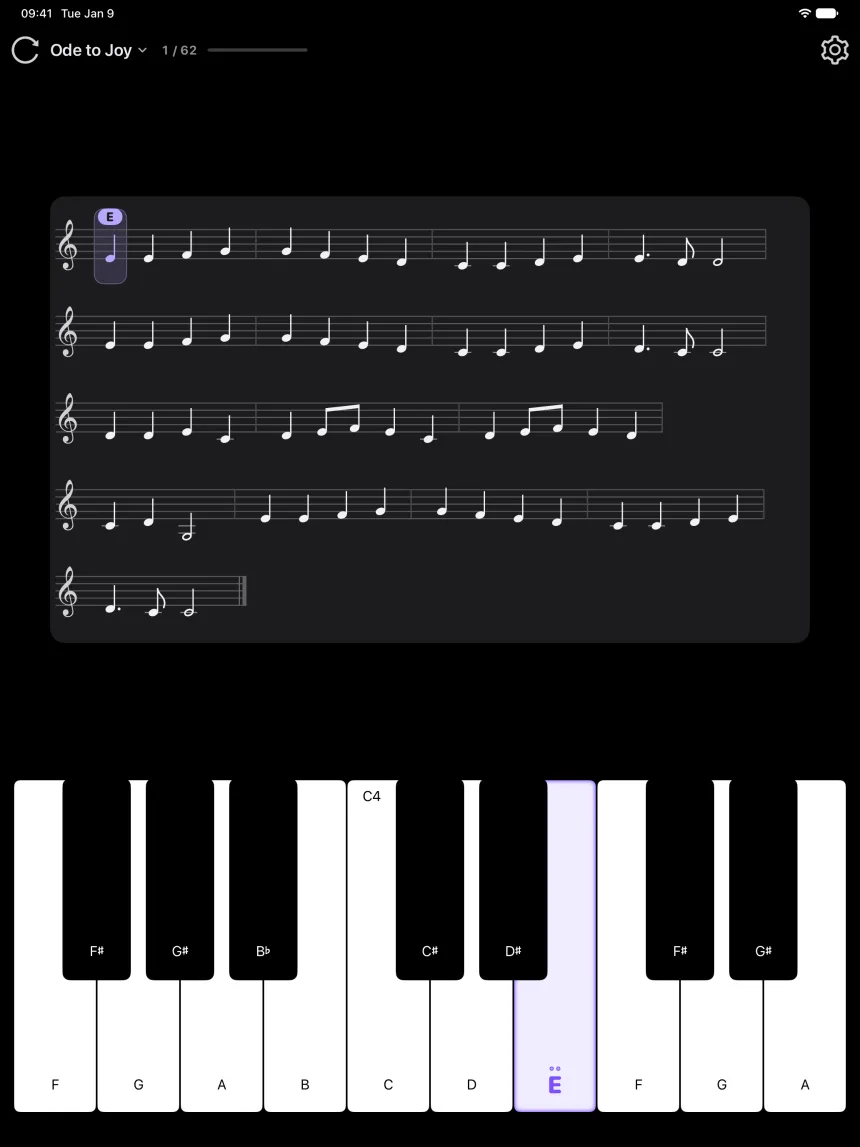
In a large window the score becomes a music stand with several lines that follows your playing. Portrait, landscape and smaller windows each get their own layout, with bigger keys.

iPad in portrait: the music stand shows Ode to Joy across several lines

Over 70 instruments

Grand piano, guitar, violin, flute, kalimba, steel drums, xylophone and more. Change with one tap.

Free play

The multi-touch keyboard is all yours. What you play is written on the staff above the keys.

Import MIDI

Import a MIDI file, pick a track, and it becomes a song to play along with, like the built-in ones.

For parents

Safe for kids

With Parental control on, Settings and importing open only after a grown-up solves a quick sum.

  • No ads
  • No account
  • No data collected
  • Works offline

Questions and answers

Parental control is on. How do I turn it off?

Tap ⚙, solve the sum, and turn off Parental control under Parents.

How do I pick “Who's playing?” again?

Settings › Parents › Who's playing.

How do I change songs?

Tap the song name above the keys and pick one. When a song ends, you can also tap “Next”.

I tap a key but the score doesn't move on.

With Play check set to “Only correct keys”, only the glowing key moves on. Choose “Any key moves on” under Settings › Play to let every key count.

How do I add my own songs?

Tap the song name, then Import MIDI at the end of the list. Choose a .mid file in Files, pick a track and tap Save.

Do my imported songs come with me to a new phone?

Yes, if you set up the new phone from an iCloud backup. Deleting and reinstalling the app removes them, and they don't sync between iPhone and iPad.

I can't hear anything.

Check the volume. PianoSprout plays even when the Ring/Silent switch is set to silent, and works with Bluetooth headphones.

Which devices does it run on?

iPhone and iPad with iOS 15.6 or later. It plays in landscape on iPhone, and in landscape or portrait on iPad.

Does it cost anything?

No. It's free, with no in-app purchases and no ads.

Still have a question or an idea?

Tell us what happened or what you'd like to see.

support@pianosprout.xyz

Feedback on GitHub is public, so please leave out your child's name, photos and other personal details.

Download on the App Store